

LinkedIn is trying to make ad creative less dependent on the blank page.
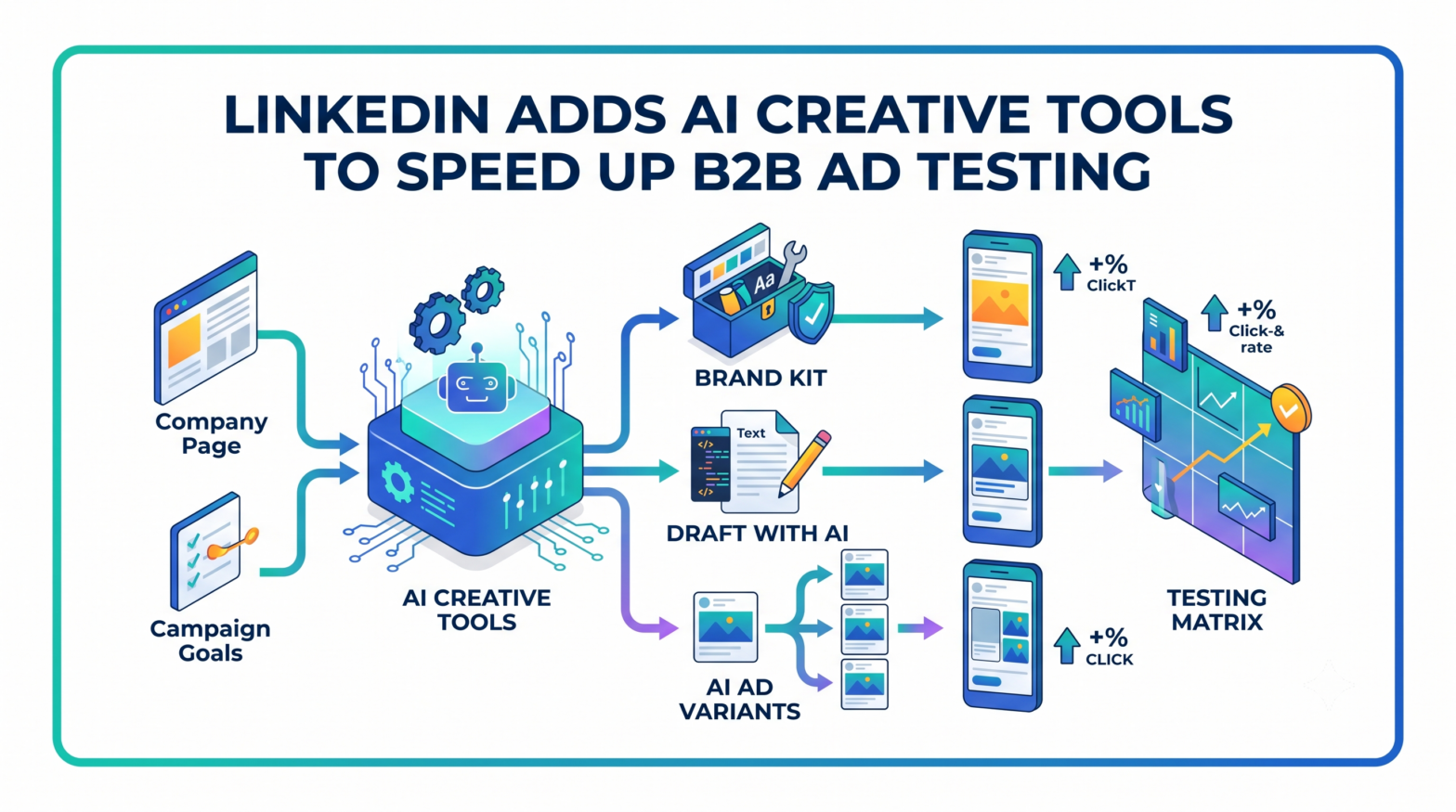
The platform has introduced a new set of creative tools inside Campaign Manager, including Brand Kit, Draft with AI, AI ad variants, flexible ad creation, and ads personalization. The update is aimed at small and growing businesses that need more campaign variations but do not always have the time, budget, or creative resources to produce them manually.
LinkedIn Wants More Ad Variations In The System
The central problem LinkedIn is targeting is not campaign setup.
It is creative volume.
LinkedIn said advertisers often run a single ad, gather limited performance signals, and make decisions from incomplete data. The company’s own internal analysis says advertisers running five or more ad variants see more than 20% higher click-through rates on LinkedIn compared with advertisers running one ad.
That statistic explains the product direction.
The new LinkedIn Ads tools are built around generating, modifying, testing, and scaling creative variations without asking advertisers to rebuild every asset from scratch. For lean marketing teams, that shifts the bottleneck from production to review. The advertiser still has to decide whether a message is accurate, compliant, and strategically useful, but the platform can now create more starting points.
That is a different kind of automation from bid management or audience expansion.
It moves deeper into the creative layer, where B2B advertisers have traditionally been more cautious because messaging, brand voice, and product claims are harder to standardize than budget allocation.

Brand Kit Puts Guardrails Around AI-Drafted Ads
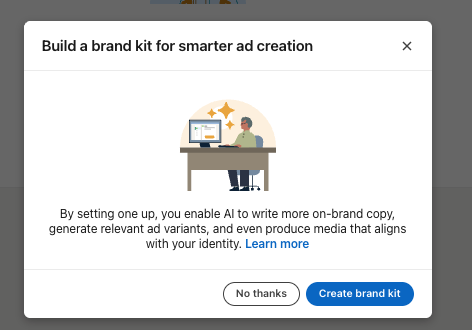
Brand Kit is LinkedIn’s attempt to make AI-generated ad creative less generic.
The tool allows advertisers to define core brand assets such as colours, fonts, logos, tone of voice, and key messages so new AI-assisted ads stay aligned with the brand. LinkedIn’s Help documentation says Brand Kit can automatically assemble brand voice from an advertiser’s existing LinkedIn presence, including past content and the Company Page, although advertisers can also set it manually.
That automated setup comes with limits.
LinkedIn says the ad account may not have enough brand signals to generate an automated Brand Kit if, for example, the Company Page has no website listed or limited organic posts. Brand Kits are also not required to create ads. For now, LinkedIn’s Help documentation says the single image ad format is the only ad format currently available for Brand Kit.
The value is control.
AI creative tools tend to create a volume problem of their own. More outputs mean more room for inconsistent wording, mismatched design, and claims that do not sound like the brand. Brand Kit gives advertisers a reusable structure before the system starts drafting.
That matters in B2B advertising, where campaigns often involve long sales cycles, multiple stakeholders, and precise positioning. A weak headline is not only a creative issue. It can change how a buyer understands the product.
Draft With AI Turns Campaign Inputs Into First Drafts
Draft with AI is the most direct blank-page feature in the rollout.
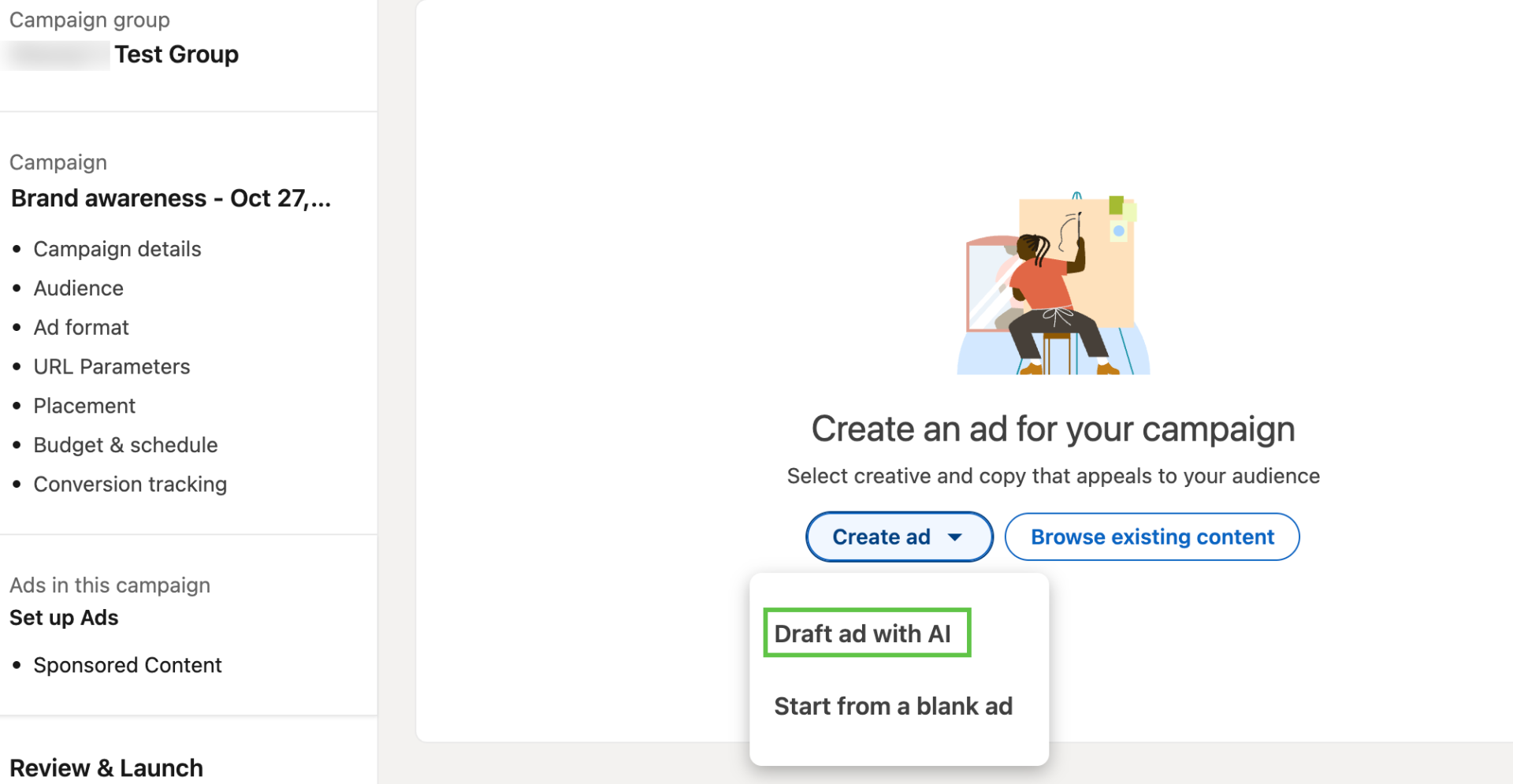
LinkedIn says advertisers can provide a destination URL, campaign goals, and additional context such as past high-performing creative. The system then generates ad copy grounded in those inputs rather than producing a generic template.
LinkedIn’s single image ad documentation gives more detail on how this works in Campaign Manager. Advertisers can click “Draft with AI” when creating a new single image ad, then review and edit generated fields, including introductory text, headline, destination URL, media, call-to-action, image alt text, and description. The system can also suggest visuals and allows advertisers to replace images, use Shutterstock assets, customize a template, browse the media library, or edit an image with Microsoft Designer.
That review step is important.
LinkedIn is not presenting the tool as a hands-off campaign writer. Its documentation still places the advertiser in the editing and approval role before ads are saved or launched. The output is a draft, not a finished strategy.
For marketers already watching AI tools move across ad platforms, this fits a broader pattern. TechWyse recently covered how Pinterest is embedding AI into ads, shopping, and discovery, while TikTok’s latest ad updates pushed automation into creative production, campaign optimization, and agentic workflows. LinkedIn’s version is narrower, but it lands in the same pressure zone: faster campaign creation with more platform-native intelligence.
AI Ad Variants Bring Testing Closer To The Creative Window
The AI ad variants feature is designed for iteration after an ad already exists.
LinkedIn says AI ad variants can generate multiple versions of an existing ad with new headlines and introductory text, giving advertisers more ways to test message angles without starting again. The Help documentation says the AI system uses the existing introductory text and headline, along with LinkedIn best practices, to create three ad variations in the same ad set. Advertisers can view, edit, or remove those variants from the Ads pane.
That turns experimentation into a native workflow.
Instead of copying an ad, rewriting copy manually, naming versions, and checking whether every variant was added correctly, advertisers can generate variations inside the same creation environment. For small teams, that reduces the friction that often keeps testing plans theoretical.
LinkedIn is also pairing variants with flexible ad creation.
Flexible ads allow advertisers to upload up to four images or videos and draft up to five headlines and descriptions, which LinkedIn can mix and match to create up to 64 unique ad versions. The feature works across single image and video ad formats in Classic ad sets, but it requires a new campaign, dynamic budget optimization, and a learning phase of approximately one week. LinkedIn says underperforming creatives may be automatically paused after that learning period.
The workflow is more automated than simple variant generation.
Flexible ads do not just create more options. They test combinations and shift delivery toward stronger performers as performance signals emerge.
Personalization Uses Professional Attributes, Not Consumer Signals
LinkedIn’s ads personalization tool takes a different route from the creative features.
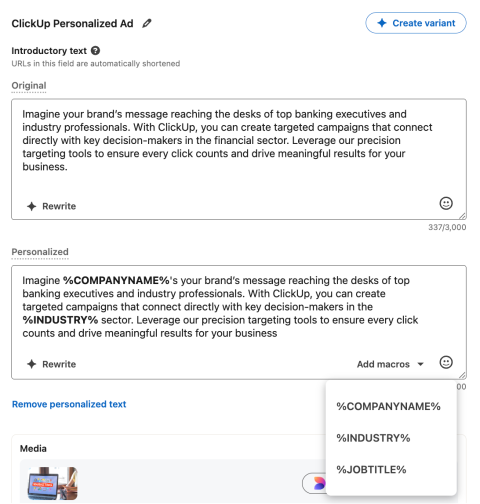
Rather than only generating more versions of an ad, it tailors messaging using professional attributes such as job title, company, and industry. LinkedIn said SMB advertisers see stronger performance with Ads Personalization, citing average lifts of 1.4% higher click-through rate for Website Conversion campaigns and 2.4% more lead gen clicks on Video Ads.
The professional-data angle is central to LinkedIn’s pitch.
Consumer platforms usually personalize around behaviour, interests, shopping signals, or content engagement. LinkedIn’s advantage is its member graph: job function, seniority, employer, industry, and professional context. That makes personalization especially relevant for B2B campaigns where the same product may need different framing for a CFO, HR leader, IT manager, or founder.
The risk is over-personalization.
A message can become more relevant without sounding like it was assembled from a profile field. LinkedIn’s own Marketing Academy materials, referenced in the announcement, position these tools around applying personalization in a way that feels relevant and authentic.
That wording is careful for a reason.
B2B buyers are used to targeted ads. They are less forgiving when the targeting feels clumsy.
What Marketers Should Change In Practice
For marketers, the practical shift is that LinkedIn creative testing can become a routine part of campaign setup rather than a separate production cycle.
Campaign teams should plan for more creative review, not less. AI ad variants and flexible ads can increase the number of messages, images, and combinations entering a campaign, but legal, brand, and performance checks still need clear ownership. Naming conventions, UTM structures, approval workflows, and reporting views should be adjusted so teams can tell which creative angle, not just which campaign, drove results.
The change also connects creative production more directly to measurement.
LinkedIn has been expanding advertiser tools on both sides of the campaign lifecycle. TechWyse recently reported on LinkedIn’s campaign-level Conversion Lift Testing and upgraded Brand Lift reporting, which focused on proving incremental impact after campaigns run. The new creative tools sit earlier in the workflow, where the platform is trying to generate more testable assets before measurement begins.
That pairing is the larger story.
LinkedIn is not only asking advertisers to prove what worked. It is giving them more variations to test in the first place.
LinkedIn’s AI Push Stays Inside Campaign Manager
LinkedIn’s update is not framed as a replacement for creative strategy.
The platform said the tools are meant to remove manual work that slows advertisers down, not automate creative strategy entirely.
That distinction leaves responsibility with the advertiser. Campaign Manager can draft, vary, personalize, combine, and optimize creative elements. It cannot know whether a claim is legally approved, whether a message fits the sales motion, or whether a visual reflects the product accurately.
For small and growing businesses, the immediate benefit is speed. More ad creative can be produced inside the same platform where campaigns are built and launched.
The trade-off is discipline. More variants create more chances to learn, but only when the inputs, guardrails, and reporting structure are strong enough to separate useful signals from automated noise.