

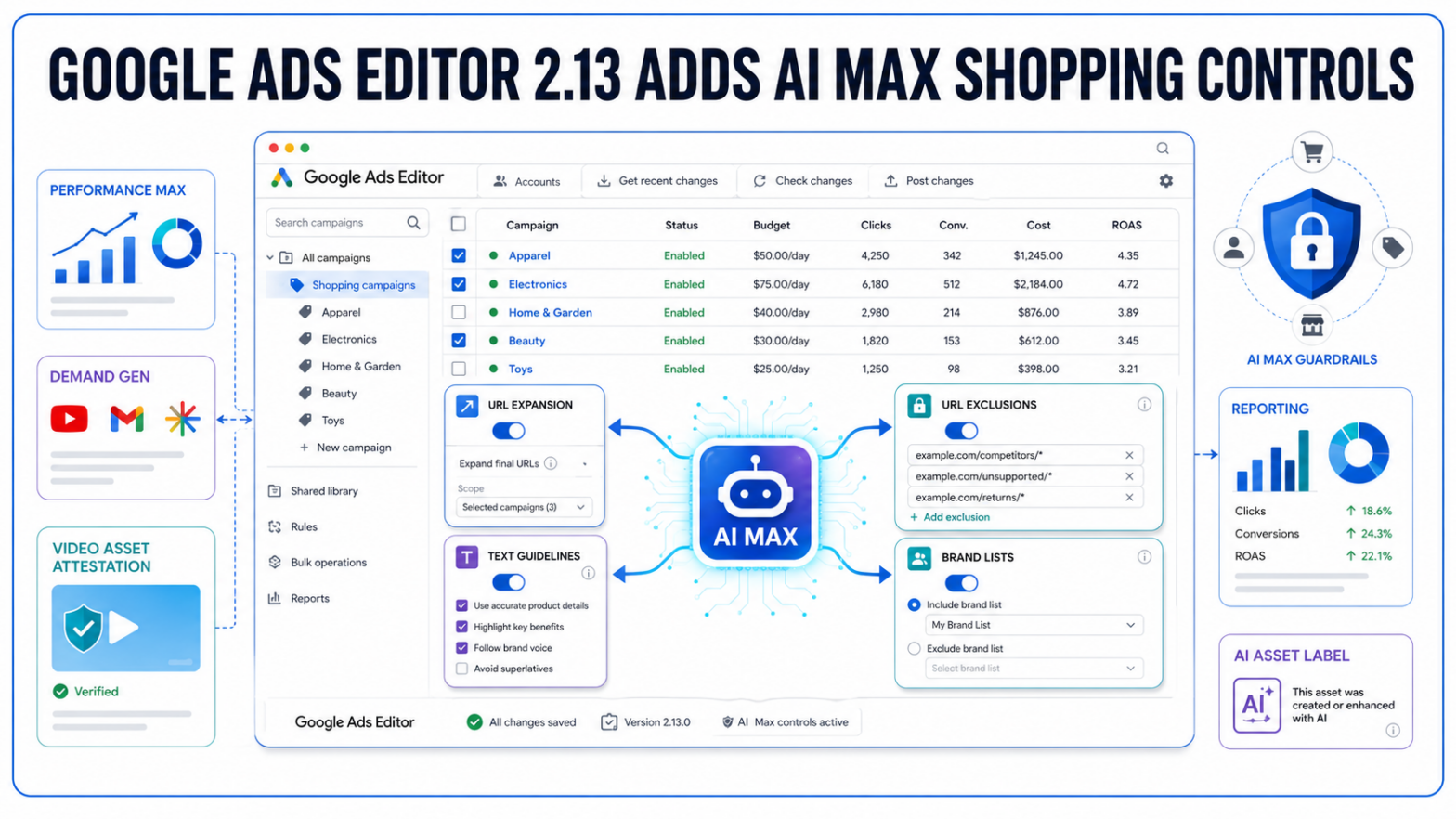
Bulk campaign work is catching up to Google’s AI roadmap. Google Ads Editor 2.13 now supports AI Max controls for Shopping campaigns, giving advertisers a way to manage more of Google’s automated retail advertising stack outside the browser interface.
Shopping Campaigns Get More AI Max Controls In Editor
Google’s Ads Editor 2.13 release notes list AI Max for Shopping as one of the central additions in the 2026 release.
The update brings a broader set of AI Max-related controls into Shopping campaign workflows, including automated text, URL expansion controls, text guidelines, URL exclusions and brand list controls. Google says the addition brings Shopping campaign support closer to feature parity with Search and Performance Max campaign management inside Editor.
That matters because Editor is still the working environment for many PPC teams handling large accounts, bulk edits, QA reviews and offline campaign changes. When major AI features are only available in the web interface, teams often have to split setup and governance across tools.
With Google’s separate documentation still describing AI Max for Shopping campaigns as a beta suite, the Editor update does not make AI Max a new standalone campaign type. It expands where advertisers can manage the controls attached to Google’s AI-powered Shopping layer.
TechWyse previously reported on AI Max reaching Shopping campaigns, where the feature was positioned as an enhancement to existing Shopping campaigns rather than a replacement for Standard Shopping.
URL Expansion And Brand Lists Move Closer To Bulk Governance
The most important part of the update is not simply that AI Max is available in another place.
It is control.
Shopping advertisers using AI Max have to manage how far Google can go with landing page selection, automated copy and brand handling. Editor 2.13 adds support for URL expansion controls, URL exclusions, text guidelines and brand list controls, all of which affect how much freedom Google’s system has when matching Shopping campaigns to search behaviour.
For retailers, that can be a material operational change. Product catalogues often contain seasonal URLs, low-margin items, discontinued inventory, restricted categories or pages that should not be used as landing pages for paid traffic. URL exclusions and text guidelines give advertisers a way to apply guardrails before automation scales across larger account structures.
Brand list controls are also significant because AI Max has raised recurring questions about brand traffic separation. Advertisers running dedicated brand campaigns often want clearer control over when automated campaign features can appear on branded or adjacent queries. TechWyse has also covered Google’s broader shift toward AI Max brand and URL controls as older dynamic campaign settings move into the AI Max framework.
In practice, the Editor support should make those controls easier to audit across multiple Shopping campaigns at once.
Performance Max Adds Customer Retention Goal Support
Google Ads Editor 2.13 also adds support for the Customer retention goal in Performance Max campaigns. Google’s release notes describe the goal as similar to the existing new customer acquisition workflow, but focused on re-engaging past customers.
That gives advertisers another lifecycle-oriented setting inside Performance Max management. Rather than only pushing toward new customer acquisition, teams can configure campaigns around returning customers where account data and conversion goals support that strategy.
The release also reorganizes bidding strategy and target settings for Search and Performance Max campaigns. Target CPA and Target ROAS now appear as explicit bidding strategies in Editor, while the Target ROAS Tolerance attribute has moved under Target ROAS bidding settings.
For paid media teams, these are not only interface changes. They affect how campaign settings are reviewed, exported, uploaded and checked during bulk work. Naming and placement become important when teams are managing dozens or hundreds of campaigns with shared QA processes.
Google has also been expanding Performance Max reporting and campaign controls in other areas. TechWyse recently covered Google’s Performance Max product reporting expansion, another update tied to how advertisers assess automated campaign performance across more inventory.
Demand Gen And Video Campaigns Pick Up New Controls
The release is broader than Shopping and Performance Max.
Demand Gen gets several additions in Editor 2.13, including support for Maps as a channel option in ad group channel settings. Google also added support for “Classic display assets” in Demand Gen image ads, using standard image dimensions currently used in plain Image ads to support migration from legacy Display campaigns.
Responsive video ads and non-skippable video ads now have dedicated Business name and Business logo fields in the properties panel. That gives advertisers more direct control over brand assets across video formats.
Google also added an opt-in or opt-out control for the “Generated text” enhancement in Demand Gen video ads. That puts automated copy variation settings closer to the campaign editing workflow, rather than leaving them as a separate web-only adjustment.
Video campaigns get several warning systems in the new Editor release. Google added custom rules for unposted Target CPV video campaigns where an ad group combines content and audience targeting in a way Google considers overly restrictive. Additional rules flag format issues when ad groups do not contain the horizontal or vertical video assets required for selected ad formats.
Budget and bid warnings are also part of the release. New Target CPV video campaigns can receive proactive budget alerts when the entered budget falls below a recommended baseline, while new video ad groups can trigger warnings when Target CPV or Target CPM bids sit below system recommendations.
These checks do not automatically fix campaign structure. They add more warning signals before uploads go live.
AI Asset Attestation Enters The Offline Workflow
Editor 2.13 includes a new User attestation field for image and video assets. Google says the field is designed to manage disclosure mandates for AI-generated content, with options including Unset, Label and Don’t label.
The field can be applied in bulk or inside asset pickers.
That addition reflects a practical compliance shift. As advertisers use more AI-generated images, videos and text assets, disclosure settings become part of campaign operations rather than a last-minute creative review item. Bringing attestation into Editor means teams can apply and audit those settings alongside other asset metadata.
Google also added native channel performance reports in Editor, mirroring the “Insights and Reports > Channel performance” breakdown available in the Google Ads web interface. Column management has been redesigned as well, with saved presets and CSV import/export options for layouts.
For advertisers managing Google Ads Editor 2.13 in day-to-day workflows, the practical implication is straightforward: more AI campaign setup, review and compliance work can now happen in bulk. Shopping campaigns, Performance Max, Demand Gen and video assets still require careful account-level governance, but fewer controls are isolated in the browser interface.
Video Action Campaign Creation Is Removed
Google Ads Editor 2.13 also removes support for creating new Video Action campaigns. Google says active campaigns have been migrated to Demand Gen, with creation restrictions applying across standard accounts.
That retirement fits the larger pattern in this release. Google is continuing to fold older campaign workflows into newer AI-supported campaign types while moving more controls into Editor for advertisers who manage accounts at scale.
For PPC teams, the immediate change is operational: download the newest Google Ads Editor version, review Shopping campaigns using AI Max, check Demand Gen and Performance Max settings, and confirm that bulk upload processes account for the new fields before large-scale edits are posted.