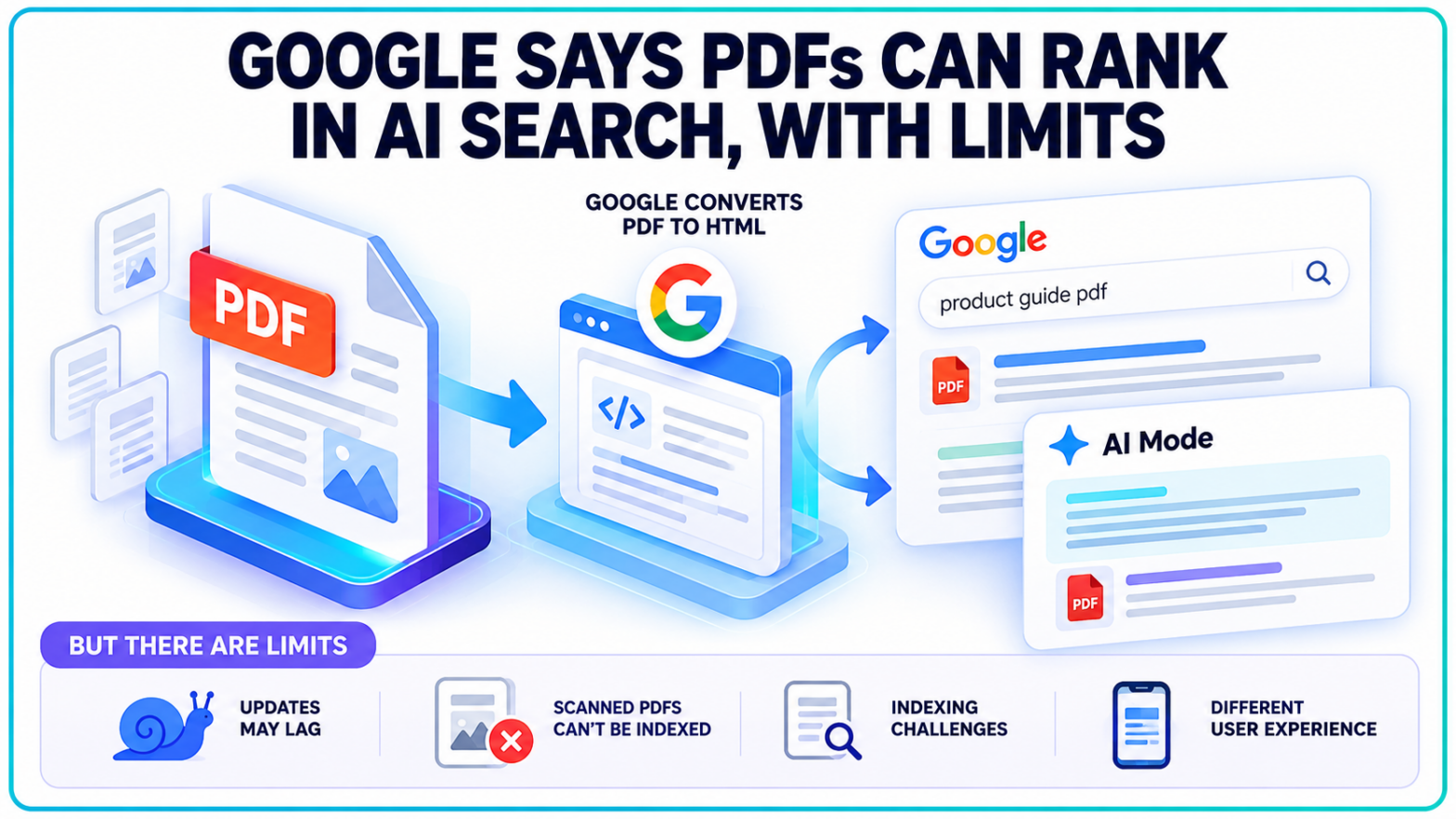
A PDF can appear in Google's AI-powered search results just like a regular webpage. Getting it indexed is only part of the challenge. Keeping that document accessible, current, and properly associated with its original publisher is another matter.
Google Search representatives Martin Splitt and John Mueller addressed those distinctions in the October 13, 2026, episode of Search Off the Record. Their discussion revealed how Google processes PDFs internally, why some documents struggle with indexing, and where HTML still has practical advantages for publishers.
The explanation is particularly relevant to businesses that publish product catalogues, research reports, downloadable guides, and other important content primarily as PDF files.
Google Converts PDF Documents Into HTML Before Ranking Them
Google doesn't evaluate PDF files in their original format throughout its indexing process.
According to Splitt, Google's systems use an internal converter to transform PDF content into an HTML representation. That converted material can then pass through the search indexing and ranking systems used for other web content.
The process allows Google to extract readable text and recognize links embedded within PDF documents. Those links can be processed as part of the converted content.
This explains why PDFs have long appeared alongside conventional webpages in organic search results.
Google's documentation on indexable file types explicitly identifies PDF as a supported format. The company also supports several other document formats, including Word files, spreadsheets, and presentations.
But support for a file format isn't the same as a guarantee of visibility.
A PDF still needs to be accessible to Googlebot, contain information the search engine can process, and satisfy the relevant indexing requirements.
There is another distinction. Converting a PDF into HTML internally doesn't turn the original file into an HTML webpage for visitors. Users who select the result can still encounter the original PDF, with its fixed formatting and document-viewing requirements.
That difference becomes more significant on mobile devices, where the reading experience can vary considerably between a responsive webpage and a document created for printing.
AI Mode Can Surface PDFs Without Special GEO Optimization
Google's ability to index PDF content extends beyond traditional search results.
During the podcast discussion, Splitt and Mueller confirmed that PDFs can appear in AI Overviews and AI Mode because the underlying indexing process makes their content available to Google's search systems.
The implication is straightforward: publishing information as a PDF does not automatically exclude it from AI-powered search experiences.
It doesn't give that content an advantage, either.
Google's official AI Search documentation states that websites do not need separate technical optimizations to become eligible for AI Overviews or AI Mode. Content must meet Google's existing Search requirements, including indexing and eligibility to appear with a snippet.
The same distinction applies to PDF files.
For publishers pursuing generative engine optimization, the format itself is not a shortcut to AI visibility. Google's systems still need to retrieve and understand the underlying information.
A document might be eligible for inclusion without being selected as a source for a particular AI-generated response.
Google has also been refining how supporting sources appear in AI-generated results, including changes to links in AI Mode. Those interface changes are separate from the question of whether Google's systems can process a PDF.
The October discussion establishes that PDF content can participate in these search experiences. It does not establish a PDF-specific ranking advantage or a new method for increasing AI citations.
A Scanned PDF Can Hide Its Content From Google
Not all PDFs contain text that search engines can readily extract.
Some documents are created from digital text, allowing readers to highlight individual words, copy passages, and search within the file.
Others consist of scanned pages stored as images.
They may look identical to someone opening the document, but their underlying structure is different.
Splitt identified image-based PDFs as a potential problem because Google's PDF conversion process depends on being able to retrieve meaningful content from the file.
Although optical character recognition can sometimes identify text in images, the Google representatives cautioned against relying on it for PDF indexing.
They described a simple way to identify the issue: attempt to highlight text in the PDF and paste it into a plain-text editor.
If the words cannot be selected and copied, the document may lack an extractable text layer.
A similar problem can arise when businesses export designed brochures, presentations, or scanned records as image-only PDFs. Headings, paragraphs, and contact information may be visually present without being directly available as text.
This creates both search visibility and accessibility concerns.
Screen readers can also encounter difficulties with documents that contain images of text instead of properly structured, readable content.
Google's explanation places document construction alongside more familiar technical SEO considerations, where a URL's existence does not guarantee that search systems can retrieve and understand its content.
For PDF SEO, whether the text is extractable can be more consequential than how polished the document looks.
PDF Updates May Take Longer to Reach Google's Search Index
Another limitation concerns how frequently Google returns to PDF files.
Splitt and Mueller discussed how PDFs can be treated differently from regularly updated webpages during crawling. Because PDFs are commonly static resources, Google may revisit them less frequently.
That creates a practical complication for documents that change often.
Consider a business that publishes a downloadable price list, then replaces the file at the same URL when its pricing changes.
Visitors who download the updated document may immediately see the new information. Google's indexed version, however, may continue reflecting the older content until its crawler returns and processes the replacement.
The podcast did not establish a fixed timetable for PDF recrawling.
There is also a technical limit on how much of a document Googlebot retrieves.
Google's March 31, 2026, explanation of its crawling infrastructure specifies a 64 MB fetch limit for PDFs, compared with the 2 MB limit that applies to other individual resources fetched by Googlebot.
The podcast speakers did not identify that PDF limit during their conversation, but it is documented separately by Google.
The distinction is relevant to businesses distributing extensive product catalogues, technical manuals, and large research publications.
Files beyond the supported retrieval limit cannot be assumed to have all their contents processed.
More importantly, Google has not introduced a special mechanism that guarantees immediate reindexing when an existing PDF changes.
For businesses that frequently revise prices, product availability, schedules, or service information, the difference between publishing an updated document and having Google recognize that update remains significant.
Duplicate PDFs and Fixed Layouts Add Another SEO Complication
The original publisher of a PDF is not always the website Google chooses to display.
A manufacturer might distribute a product catalogue to multiple retailers. Each retailer then uploads the identical document to its own website.
Google may encounter several copies of essentially the same content across different domains.
Splitt and Mueller discussed the complications this creates for canonicalization, the process Google uses to select a preferred URL when duplicate or substantially similar content exists.
Unlike an HTML webpage, a PDF cannot place a conventional canonical link element inside an HTML head section.
Google instead supports a canonical instruction delivered through an HTTP response header.
Its canonicalization documentation explains how publishers can use the rel="canonical" HTTP header for non-HTML files, including PDFs.
The instruction provides Google with a preferred URL, although the search engine ultimately determines which version to treat as canonical.
Document format also affects usability.
PDFs remain suitable for materials requiring consistent printed layouts, official forms, and downloadable documents. They are less flexible when content needs to adapt to different screen sizes or support frequent online updates.
A restaurant menu illustrates the difference.
A downloadable PDF can communicate menu information, and Google may index its readable text. A responsive HTML menu can present the same information directly within the website, where customers can navigate it without opening a separate document.
For marketers, the immediate consideration is how the information is published, not whether PDFs need to be removed. Evergreen reports and downloadable resources can remain useful in PDF format. Frequently updated commercial information is generally easier to maintain on HTML pages. Existing documents can also be reviewed for extractable text, crawl access, and duplicate URL issues without changing their intended purpose.
Google's October 13 discussion did not introduce a new PDF ranking system or announce a PDF-specific optimization requirement. The company has also not provided a guaranteed recrawl interval for updated PDFs, leaving the timing of refreshed information in search results dependent on its existing crawling and indexing processes.