

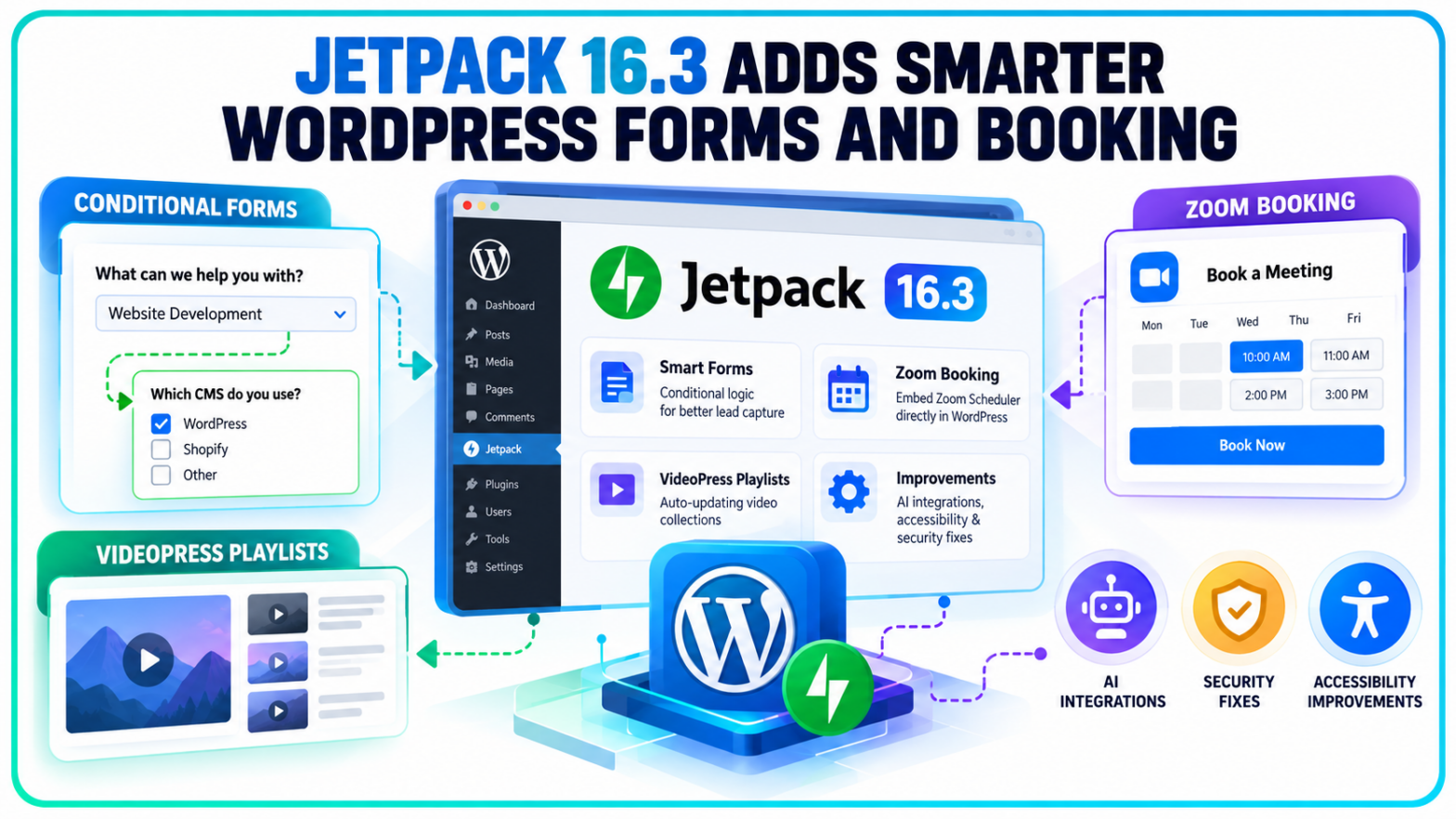
A visitor looking for a consultation shouldn't have to answer the same questions as someone requesting technical support. Yet plenty of website forms still treat every inquiry alike.
Jetpack 16.3 gives WordPress site owners more control over that experience. Conditional form fields can now respond to visitors' answers, while new booking and video tools reduce the amount of manual work involved in managing a website.
Released on October 6, 2026, the WordPress plugin update also changes how administrators manage Jetpack features, connect AI tools and handle site reliability issues.
The release includes 380 pull requests from 52 contributors. According to the WordPress.org plugin directory, Jetpack has more than three million active installations.
For businesses using WordPress as a lead-generation and publishing platform, the notable changes are concentrated in everyday website operations rather than search rankings.
Conditional Logic Forms Give WordPress Sites More Control Over Lead Capture
A short form is easier to complete, but businesses frequently need different information from different visitors. Asking every possible question upfront can make a simple inquiry unnecessarily complicated.
Jetpack 16.3 introduces conditional logic that allows individual fields to appear or disappear according to previous answers.
Consider a company collecting inquiries about several services. A visitor choosing website development could see questions about their existing content management system, while someone interested in paid advertising could receive questions about advertising platforms and campaign budgets.
Neither visitor needs to work through fields intended for the other.
Site administrators can configure these conditions directly through the WordPress Form block. The Jetpack conditional logic documentation describes rules based on selected options, text responses, numbers, dates and other supported field types.
The feature also supports multiple conditions. Site owners can determine whether a field appears when any specified condition is satisfied or only when all conditions are met.
Importantly, Jetpack checks the conditions again when a form is submitted. Answers from fields that are hidden at submission are not saved or passed to connected integrations.
That distinction matters for lead management. A visitor who changes an earlier answer shouldn't leave irrelevant information attached to the final inquiry.
Jetpack says conditional logic is available across its plans, including the free tier. Its WordPress.org changelog separately specifies WordPress.com Business plans and higher for the hosted implementation, so availability should be checked against the site's hosting and plan configuration.
Zoom Scheduler Removes an Extra Step From Appointment Booking
Getting visitors from a service page to an appointment calendar often involves another application, a separate link or a new browser tab.
Jetpack 16.3 introduces a Zoom Scheduler block that embeds a booking calendar directly into WordPress content.
Site owners can insert the block into a page or post and provide the URL of an existing Zoom Scheduler booking page. Visitors can then choose available appointment times without navigating away from the website.
The block is available on Jetpack's free and paid plans.
For consultants, agencies and service businesses, the change creates a more direct connection between informational content and appointment scheduling.
It doesn't replace Zoom Scheduler itself. The booking experience still depends on the connected Zoom scheduling page, and the block doesn't establish a new customer relationship management or marketing attribution system.
Its purpose is narrower: bringing an existing booking process into the WordPress page where visitors are already making decisions.
VideoPress Playlists Can Now Maintain Themselves
Video-heavy websites present a different maintenance problem. Publishing a new recording is straightforward, but keeping a featured video section current often requires somebody to edit the page afterward.
Jetpack 16.3 adds two blocks to VideoPress that reduce this work.
The Latest Videos Playlist block automatically displays the site's newest VideoPress uploads. Administrators can choose how many videos appear, up to a maximum of 20, without rebuilding the playlist whenever a new recording is published.
The All Playlists block provides a directory of published video collections. It supports grid and list layouts, with pagination or a Load More option for larger libraries.
These features are relevant to publishers managing webinar archives, product demonstrations, educational recordings and other frequently updated video content.
Existing playlist controls have also expanded. Administrators can edit titles and descriptions, choose whether to display the video player, and control how individual video collections appear.
VideoPress now includes a site-wide setting for disabling video sharing. Video information can also be edited while an upload is still in progress.
There is a technical change beneath the interface improvements.
Jetpack has introduced an option to load a shared VideoPress player once per page rather than loading separate player resources for each embedded video. In the company's example involving four videos, the number of player downloads fell from four to one.
That is a reduction in duplicated loading work, although the announcement doesn't establish a corresponding improvement in Core Web Vitals or search performance.
Jetpack AI and Feature Controls Move Into a More Centralized Dashboard
Jetpack's administrative interface has accumulated controls for security, analytics, publishing and content creation.
Version 16.3 reorganizes several of them.
The former Products tab in My Jetpack has been replaced with a Features tab. Administrators can now search for features, see which are active and switch supported modules on or off from a consolidated interface.
A list view supports changes to multiple features, while individual feature details explain the available capabilities and plan requirements.
The update also removes the legacy At a Glance dashboard and Recommendations assistant, continuing the consolidation of Jetpack's administrative controls.
Jetpack Stats settings have moved into the Stats dashboard. The arrangement also makes these controls accessible to users of the standalone Stats plugin, rather than requiring navigation through settings associated with the broader Jetpack package.
Newsletter publishers receive a reorganized editor sidebar with separate controls for email delivery, audience settings and newsletter categories. Jetpack has also added support for synchronizing a site's active theme colours and typography with newsletter emails.
AI connectivity receives attention too.
The Jetpack AI MCP setup interface now includes instructions for connecting ChatGPT and Codex, alongside other supported development and AI applications.
The change concerns setup guidance rather than the introduction of entirely new AI models. It arrives alongside broader work on WordPress AI connectivity, including the official WordPress MCP Adapter's arrival in the plugin directory.
Jetpack has also added a Freshly Pressed tab to its Daily Writing Prompt dashboard widget. It surfaces posts selected by WordPress.com editors, providing another route for discovering community content. The feature is based on editorial curation, not a new Google Search discovery mechanism.
Jetpack 16.3 Addresses Connection Errors, Accessibility and Security
Some of the release's less visible changes affect the reliability of services already running on WordPress websites.
Jetpack connects self-hosted installations with WordPress.com services used for analytics, backups and other functions.
Previously, certain connection checks could report problems even when a website was functioning normally. Other issues left outdated warnings visible after the underlying problem had been resolved.
Version 16.3 changes how those conditions are reported and repaired.
According to Jetpack's release announcement,
“Reconnecting also repairs just the owner’s account now, instead of disconnecting every user.”
The plugin also consolidates connection errors into notices that identify affected accounts. Site Health checks have been adjusted to avoid reporting failures when the connection test is inconclusive.
Accessibility improvements address keyboard navigation, screen-reader announcements and chart readability.
Information tooltips can now be opened through keyboard controls and dismissed using Escape. Chart changes improve focus handling and the legibility of axis labels in high-contrast display modes. VideoPress comparison charts have also been adjusted to make their lines easier to distinguish for people with colour-vision differences.
The official Jetpack 16.3 changelog identifies additional security improvements involving request parameters in Infinite Scroll, login verification in Account Protection and validation of stored block attributes.
Authorization for private VideoPress playback has also been strengthened.
These entries describe security hardening and fixes; the changelog does not assign vulnerability severity scores or establish that the issues were actively exploited.
The release follows the separate WordPress 7.1.3 security and maintenance update, published on the same day. The two releases address different software components: WordPress Core and the Jetpack plugin.
For marketing teams, the practical considerations extend across several workflows. Conditional fields introduce new paths that need testing before lead forms are published, embedded booking calendars need to be checked on mobile devices, and automated playlists alter how recently uploaded videos appear to visitors. The changes reduce certain manual publishing tasks, but their effects on conversions, engagement and website performance still depend on each site's implementation.
Jetpack 16.3 is available through the WordPress plugin directory and the Plugins section of supported WordPress installations. The current directory listing specifies WordPress 7.0 or later and PHP 7.4 or later, with compatibility testing listed through WordPress 7.1.3.