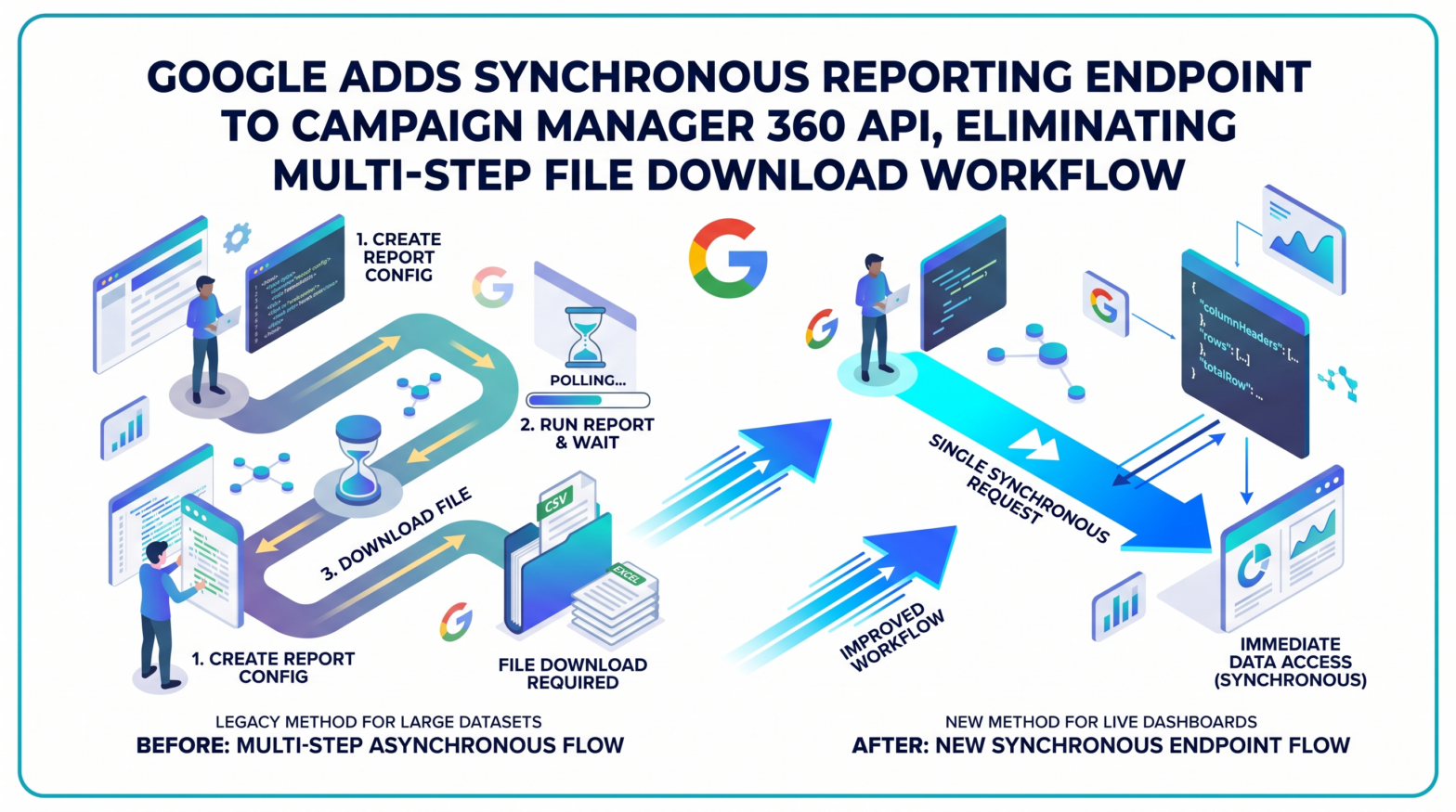
Developers building on the Campaign Manager 360 API can now retrieve campaign performance data in a single synchronous request, without creating report configurations or downloading files. Google added the `reportData.query` method to the Campaign Manager 360 API on August 12, 2026, as confirmed in the official CM360 API changelog published by Google for Developers.
What the New Endpoint Does
The `reportData.query` method provides a synchronous way to retrieve report data. Unlike the standard Reports service, which generates file-based reports in CSV or Excel format, this method returns structured JSON data directly in the response, eliminating the need to define, create, and save a Report resource beforehand.
Requests are submitted via an HTTP POST to the `reportdata/query` endpoint at `https://dfareporting.googleapis.com/dfareporting/v5/userprofiles/{profileId}/reportdata/query`. Developers construct a `ReportDataQueryRequest` specifying dimensions, metrics, date range, filters, and sorting criteria directly in the request body.
A successful query returns an HTTP 200 OK response with a JSON payload containing `columnHeaders`, `rows`, and `totalRow`.
Execution Limits and Error Handling
Because this is a synchronous endpoint, queries execute immediately, and data is returned directly in the response, up to the `maxResults` pagination limit. Queries have a maximum execution time of 60 seconds. If a query exceeds this limit, the API terminates the operation and returns an HTTP 503 Service Unavailable error.
Google's developer documentation advises that if this error is encountered, developers should try narrowing the date range, narrowing filters such as filtering by specific advertisers or campaigns, or reducing the number of requested dimensions and metrics.
What the Existing Reports Service Still Handles
Google has not deprecated the traditional reporting workflow. The `reportData.query` method was added to the API as a complement to, not a replacement for, the existing reporting infrastructure. The legacy Reports service requires developers to create and manage report configurations, trigger a report run, poll for status updates, and then download the generated file. Google's developer documentation states that this workflow remains the recommended option for large datasets, scheduled reporting jobs, and applications that depend on downloadable CSV or Excel output.
Practical Implications for Marketers and Developers
For development teams building live dashboards or custom analytics tools on top of CM360, the new endpoint reduces the number of API calls and eliminates the file management layer previously required to access campaign data. Teams that currently poll the Reports service for near-real-time performance signals may find the synchronous endpoint better suited to those use cases, provided queries are scoped within the 60-second execution window. Existing integrations built on the standard Reports service are unaffected and require no changes.
Google confirmed the addition of the `reportData.query` method in the official Campaign Manager 360 API changelog, directing developers to the Query Report Data guide to get started.