

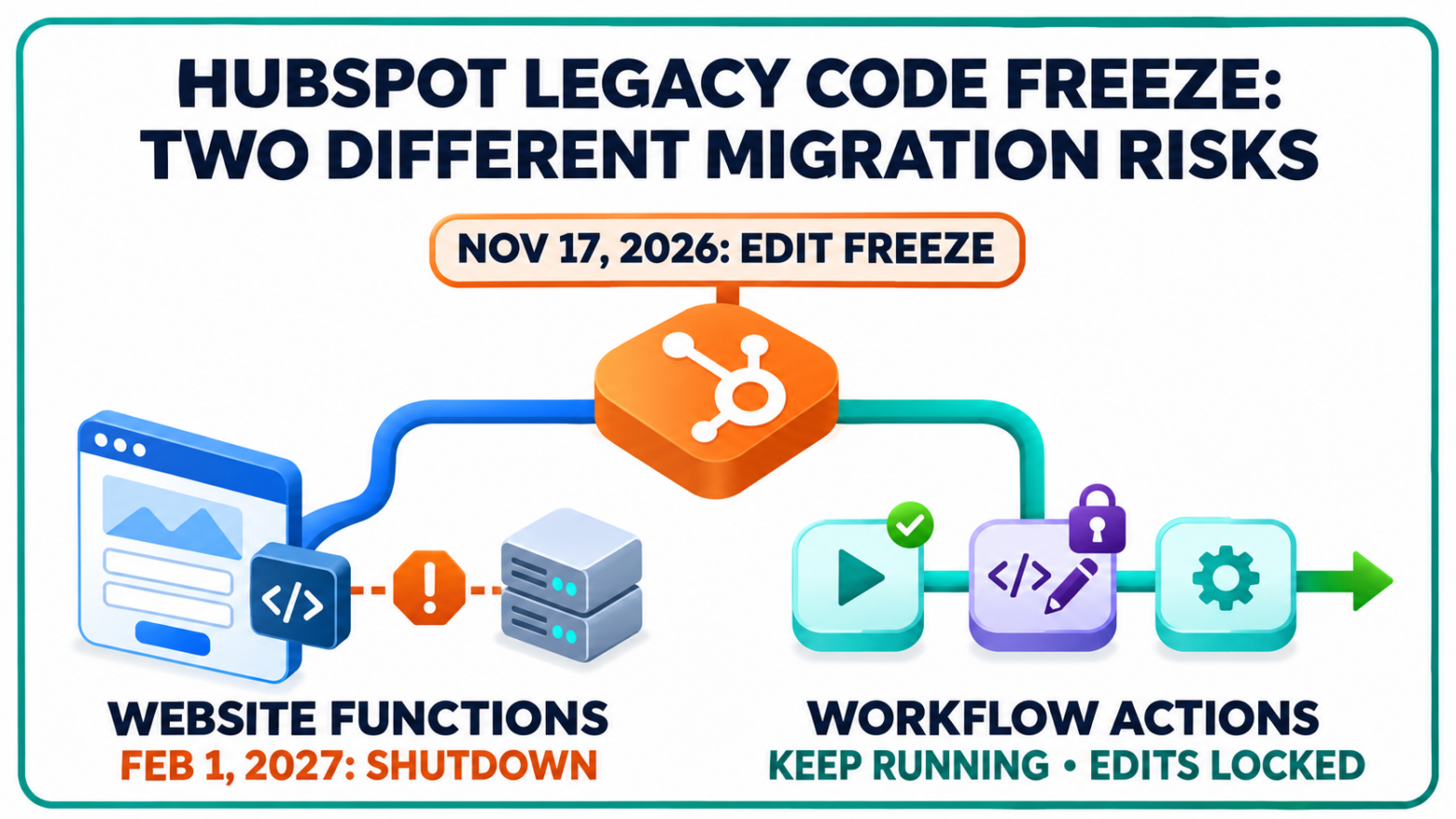
Some HubSpot website features now have a shutdown date. Older workflow actions face a different restriction: they will keep running, but teams will lose the ability to save changes without upgrading.
HubSpot’s November 3 announcement puts both changes on the same calendar. For businesses using custom functionality, the immediate question is which deadline affects their implementation, and whether the work involves a website migration, a workflow upgrade or both.
November 17 Is an Editing Deadline, Not a Universal Shutdown
HubSpot has already blocked the creation of new design manager serverless functions and new Node.js 20 custom code actions.
On November 17, 2026, existing design manager functions become uneditable. The restriction also covers staging and deploying serverless packages through the design manager private beta. Existing Node.js 20 workflow actions will likewise become uneditable unless their runtime is upgraded.
Both types of existing code will continue running after that date.
The harder deadline arrives on February 1, 2027, when design manager serverless functions stop executing and requests to their /_hcms/api/ endpoints fail. HubSpot’s sunset announcement does not give existing Node.js 16 or 20 workflow actions the same February shutdown date.
The distinction separates a loss of maintenance access from a scheduled loss of functionality. A workflow that still executes after November 17 is not necessarily ready for its next code change.
HubSpot Custom Code Actions Need More Than a Runtime Switch
A Node.js 24 migration changes how workflow code returns information, not simply which version appears in a menu.
In HubSpot’s Node.js 24 environment, custom code actions must use asynchronous handlers and return their outputs rather than pass them through a callback. Several bundled libraries also change versions, and the request library is no longer included.
HubSpot’s custom code upgrade guide explains how to find affected workflows using the Custom code action filter, then inspect each action’s language setting.
Breeze can update the custom code actions within a workflow. HubSpot nevertheless requires review and testing: returned outputs and API methods must still work after the changes.
Testing has a practical limitation. It runs the selected action, not the entire workflow, and applies any changes to the chosen record. HubSpot recommends a dedicated test record.
For teams responsible for customer data, a successful code execution and a successful business process are separate checks. An action can finish without proving that later workflow steps receive the information they expect.
HubSpot Serverless Functions Must Move With Their Website Connections
Website migrations have a broader dependency problem. Rebuilding a function does not automatically reconnect the pages using it.
The replacement functions run in developer projects and use /hs/serverless/ endpoints instead of /_hcms/api/. Templates, modules and settings that call the old address must be updated. HubSpot cannot perform the migration automatically because the code and its callers differ between websites.
The company’s serverless migration guide recommends moving functions alone for most implementations, leaving templates and modules in place while changing their endpoint references. Migrating an entire theme introduces a much larger scope.
Discovery extends beyond the design manager. Calls can appear in page settings, header or footer HTML, module fields and external applications.
Serverless functions require Content Hub Enterprise. According to the guide, accounts without that subscription have no actively used design manager serverless functions to migrate.
HubSpot also provides an AI coding-agent prompt with approval checkpoints before live changes. Its documented approach switches one function at a time and verifies the affected pages.
Marketing Teams Face a Continuity Issue
For marketers, the practical issue is preserving the customer journey across systems they may not maintain directly. Where custom code supports a form, data exchange or follow-up process, migration testing needs to cover the visitor’s action and the resulting record changes. SEO teams assessing affected pages also need to distinguish a page that loads from an interactive feature that still works.
Agency handovers add another dependency: identifying who owns the code, who can deploy it and who can confirm that its original purpose survives the migration.
Those responsibilities can sit with different people. The website owner may see the customer-facing feature, while a developer sees the endpoint and a CRM administrator sees the downstream workflow. A shared inventory connects those views without treating every HubSpot account as equally affected.
Developer Projects Still Need a Version Check
Having functions inside a developer project does not, by itself, establish that the implementation is current.
HubSpot’s developer platform versioning documentation identifies the platformVersion field in the project’s hsproject.json file as the version reference. Unsupported versions receive no further updates, and uploads using them fail to build.
The platform history also explains why the latest-looking older project may not be a suitable destination. Version 2025.2 did not support serverless functions; version 2026.03 reintroduced that capability.
According to the migration guidance, projects already on 2026.03 or 2026.09 run Node.js 24 and do not require this migration at present. HubSpot identifies 2026.09 as the current platform version for new projects; it became available on September 8, 2026.